Approvals + signatures

DocCycle Digital approvals and e-signature

Smart digital-signature and document-approval workflows for internal teams, customers and suppliers.

Approval routingRemote signingIdentity checksAudit trail
No appfor external signers
ID + selfieidentity checks
Fullaudit trail
DocCycle: a document is signed, with approvers, a phone approval and an identity check
// What is DocCycle

What is DocCycle?

DocCycle is digital approval and e-signature software: it routes purchase orders, agreements, quotes and other documents to the right internal and external signers, verifies identity with an ID photo and live selfie when needed, and returns the signed documents to the archive or ERP.

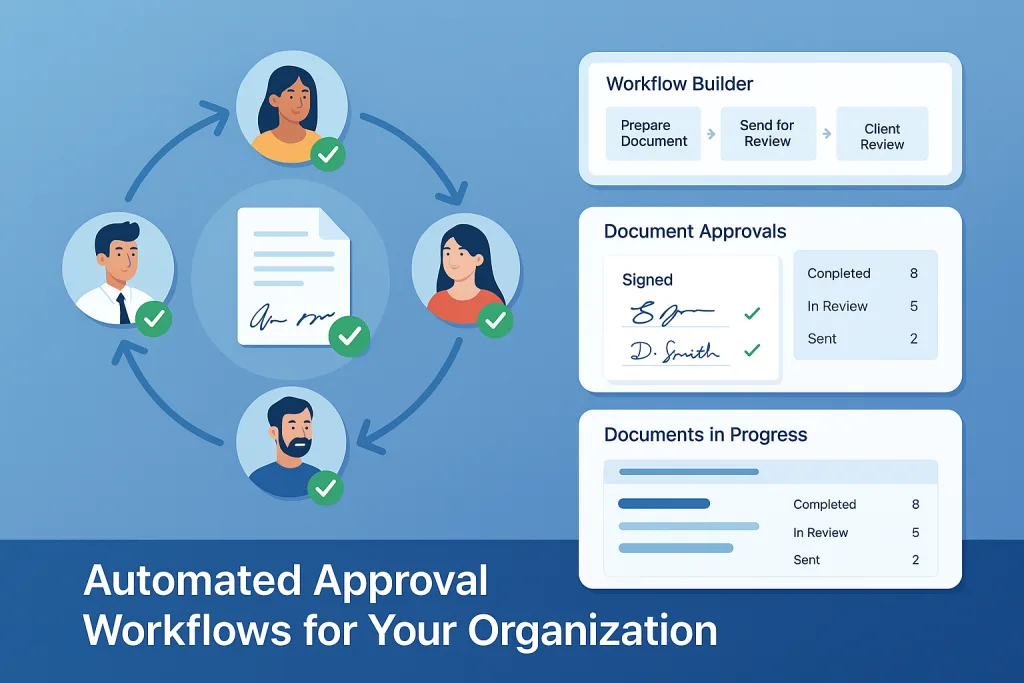
Automated approval workflows for internal teams
// Signing circles

Automated approval workflows for internal teams

Define custom signing circles with sequential or parallel approvals, track every document in real time and stop chasing colleagues, printing or email chains. From HR onboarding forms to financial statements, each document reaches the right people at the right time - and the ERP is updated automatically.
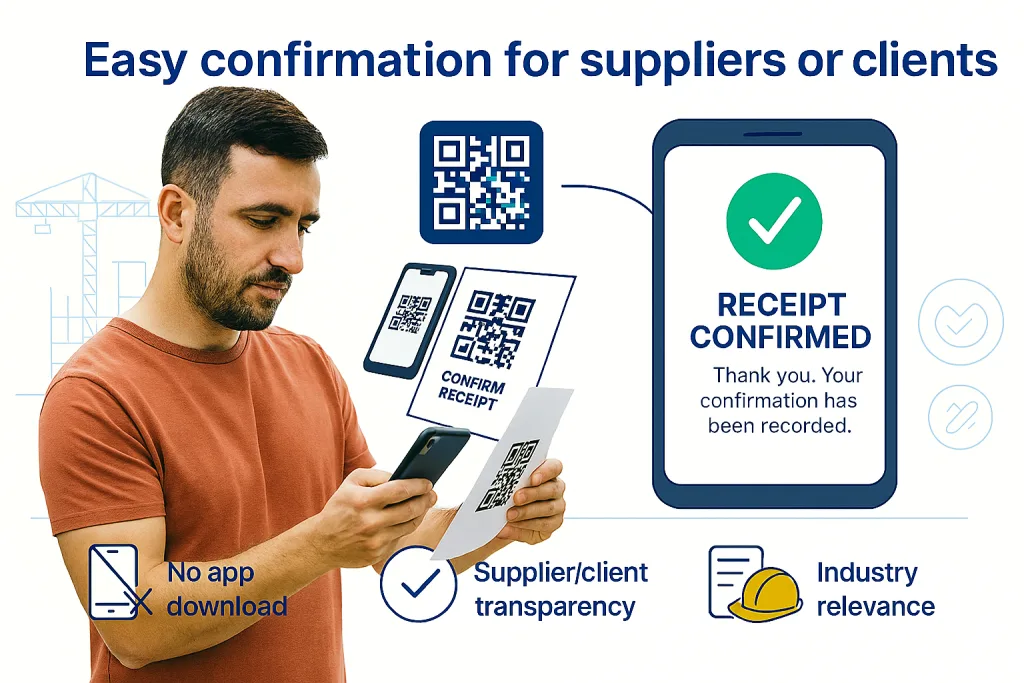
Approvals from customers and suppliers - no app needed
// External approvals (QR)

Approvals from customers and suppliers - no app needed

Send purchase orders, invoices and contracts by email, SMS or messaging apps, or let partners scan a QR code printed on the document. They approve or sign in the browser, you keep a complete audit trail, and the ERP updates automatically.
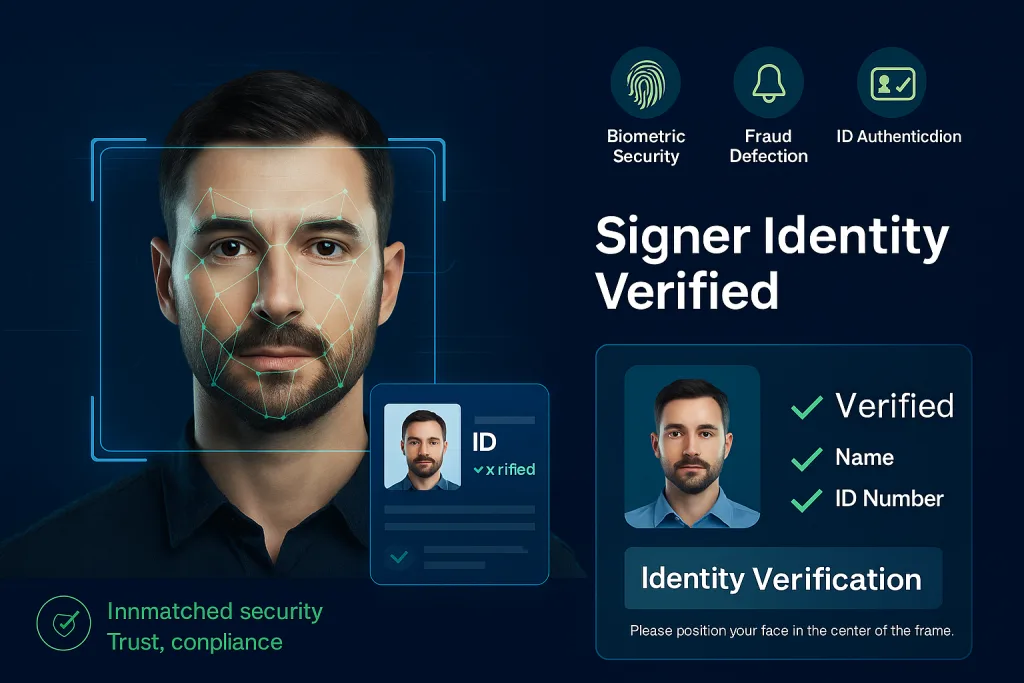
Advanced authentication for sensitive approvals
// Face recognition + ID validation

Advanced authentication for sensitive approvals

For critical transactions, DocCycle compares an ID-document photo with a live selfie and checks the ID document for signs of tampering, so you know the signer is who they claim to be.

// Why DocCycle

Why teams choose DocCycle

// Outcome

Business outcome

DocCycle brings order and transparency to document approvals by defining who must sign, tracking progress, sending reminders and returning completed documents to the archive or ERP.

// Capabilities

Core capabilities

  • Create controlled signing rounds for purchase orders, agreements, quotes, certificates and other documents.
  • Send documents through links by email, SMS or messaging apps for external or internal signing.
  • Track every action with timestamps and maintain a controlled record of the signing process.
  • Support identity verification with ID-document photo and live selfie comparison where required.
// Integration

Workflow + integration

  • Documents can be filed to the digital archive, local server or organizational cloud.
  • Browser, Android and iOS access enables signing from desktop and mobile.
  • SAP Business One, Oracle, NetSuite, Priority, IBM AS/400 and other ERPs, directly or through Winsert.
// How it works

How it works

01Upload or create

Upload a document or create it in DocCycle - or send it straight from the ERP.

02Define the workflow

Set who approves and signs, in sequence or in parallel.

03Sign securely

Signers approve on any device, with identity checks where needed.

04Update the ERP

Signed documents and status are pushed back to the ERP and archive.

// Customers

What our customers say

“

DocCycle transformed our approval process from a 2-week nightmare to a 2-day breeze. The ROI was immediate and substantial.

★★★★★DocCycle customer
“

The external approval feature with QR codes revolutionized how we work with suppliers. No more chasing signatures!

★★★★★DocCycle customer
“

Security was our biggest concern, but DocCycle's biometric authentication exceeded our compliance requirements.

★★★★★DocCycle customer
// Implementation

How implementation works

01Map your approvals

Which documents need approval or signature, who signs, and in what order.

02Demo with your documents

See your own purchase orders, contracts or forms routed and signed.

03Connect the ERP and archive

Signed documents and status go back automatically.

04Pilot

Start with one approval flow - internal or with customers and suppliers.

05Roll out

Add flows, signers and identity checks where they are needed.

// What you need to start

The documents you want to route and a list of who approves or signs each one.

// Pricing

Pricing depends on the scope of your project. After the discovery call you get a clear written proposal for DocCycle - with no obligation.

// FAQ

DocCycle FAQ

DocCycle is digital approval and e-signature software that routes documents to internal and external signers, verifies identity when needed, and returns signed documents to the archive or ERP.

No. Signing links open in any browser and can be sent by email, SMS or messaging apps, or opened by scanning a QR code on the document.

Where required, DocCycle compares a photo of the signer’s ID document with a live selfie and checks the ID document for signs of tampering.

Yes. Every action is timestamped and DocCycle keeps a controlled record of the whole signing process.

In the digital archive, on a local server or in your organizational cloud – and the ERP is updated automatically.

DocCycle works with SAP Business One and with other ERP systems such as Oracle, NetSuite, Priority and IBM AS/400, directly or through Winsert, the SPS integration hub.

// Book a demo

See DocCycle with your own documents

Tell us which documents you need approved or signed – internally or with customers and suppliers – and which ERP you use.

Used in: 3PL & logistics · Wholesale & distribution · Food & beverage · Manufacturing · Building materials · Healthcare & pharma · Professional services

By submitting this form you agree to our Privacy Policy. We will only use your details to respond to your request. This site is protected by reCAPTCHA and the Google Privacy Policy and Terms of Service apply.