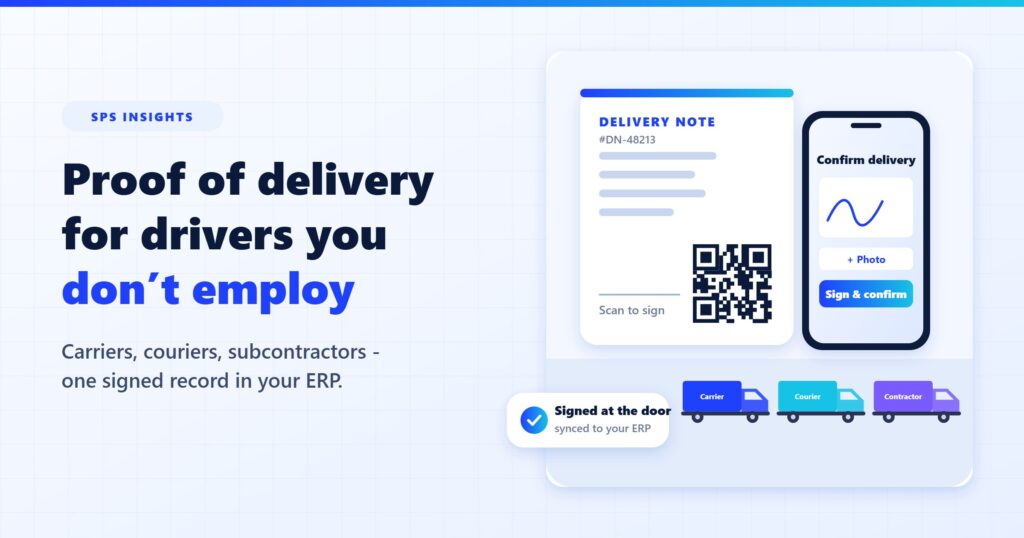
More and more deliveries are made by drivers who don’t work for you: carriers, couriers, subcontractors, a distribution center that consolidates loads. The goods still arrive – but the signed delivery note often doesn’t. Here is why proof of delivery breaks when you don’t control who delivers, what it costs, and how to move the proof onto the document itself.
A distributor ships 300 orders a day. Its own trucks cover the metro area. Everything else goes out with two regional carriers, a local courier and an owner-operator who has been driving for the company for years.
For the company’s own trucks, proof of delivery works: drivers use an app, customers sign on the screen, and the record is in the system before the truck is back on the road.
For everything else, proof of delivery is a pile of paper that comes back days later – when it comes back at all.
Why proof of delivery breaks with external drivers
Proof of delivery tools are usually built around the driver: the driver has the app, the driver collects the signature, the driver’s phone uploads the record. That works when you employ the driver. It falls apart when you don’t:
- You can’t make a carrier install your app. A national carrier has its own systems. A courier delivering for ten companies will not run ten apps.
- The driver changes every day. Subcontractors swap drivers and routes. Even if one driver learns your process, tomorrow’s driver may not.
- The load passes through someone else’s hub. When shipments are consolidated at a distribution center, the person who finally delivers may not even know which company shipped the goods.
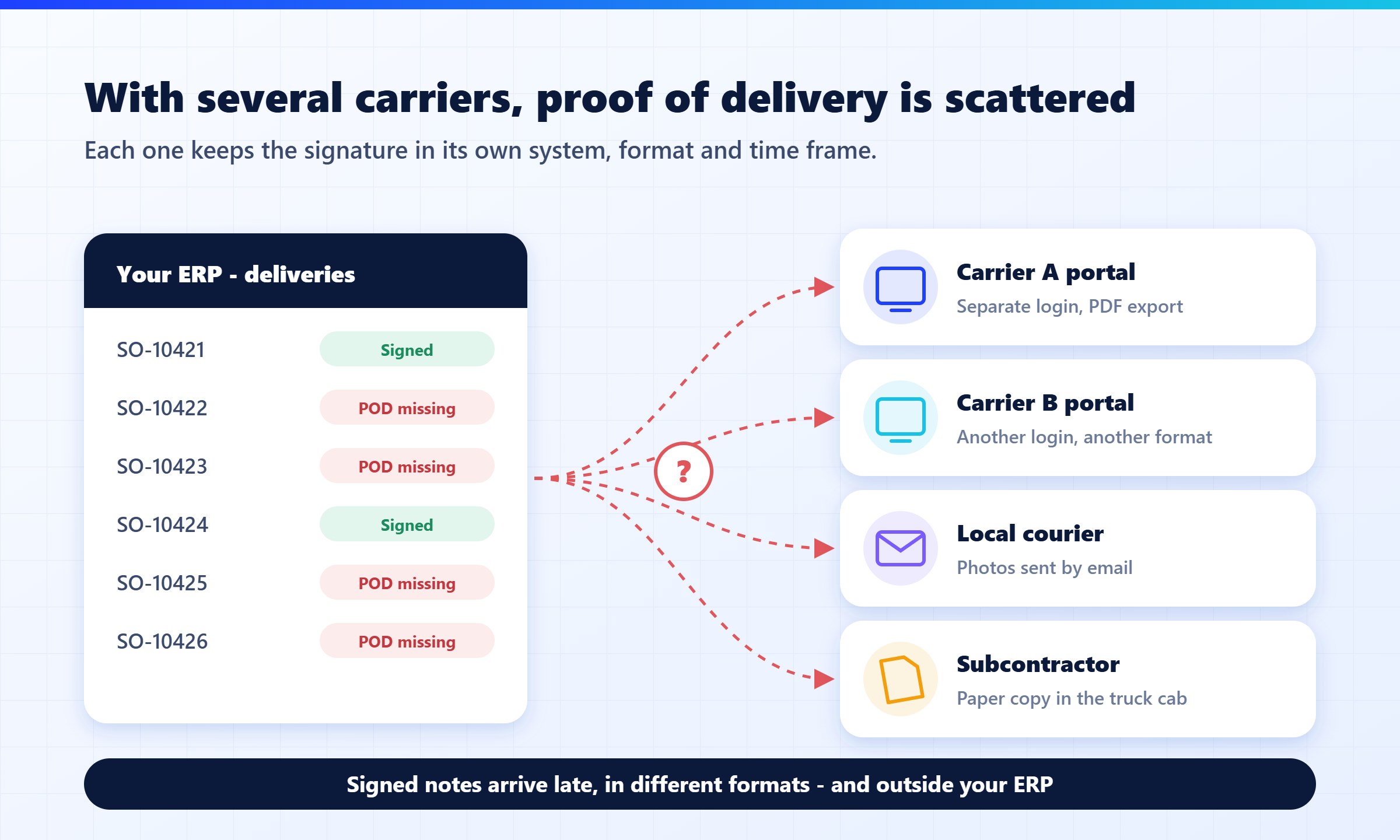
- The proof lives in someone else’s system. Carrier portals capture a signature – in the carrier’s format, in the carrier’s system, one portal per carrier.
The result is the same everywhere: the goods reach the customer, but the evidence stays on the truck.
What a missing signature really costs
A missing delivery note rarely looks like a big problem on the day it goes missing. It turns into one later:
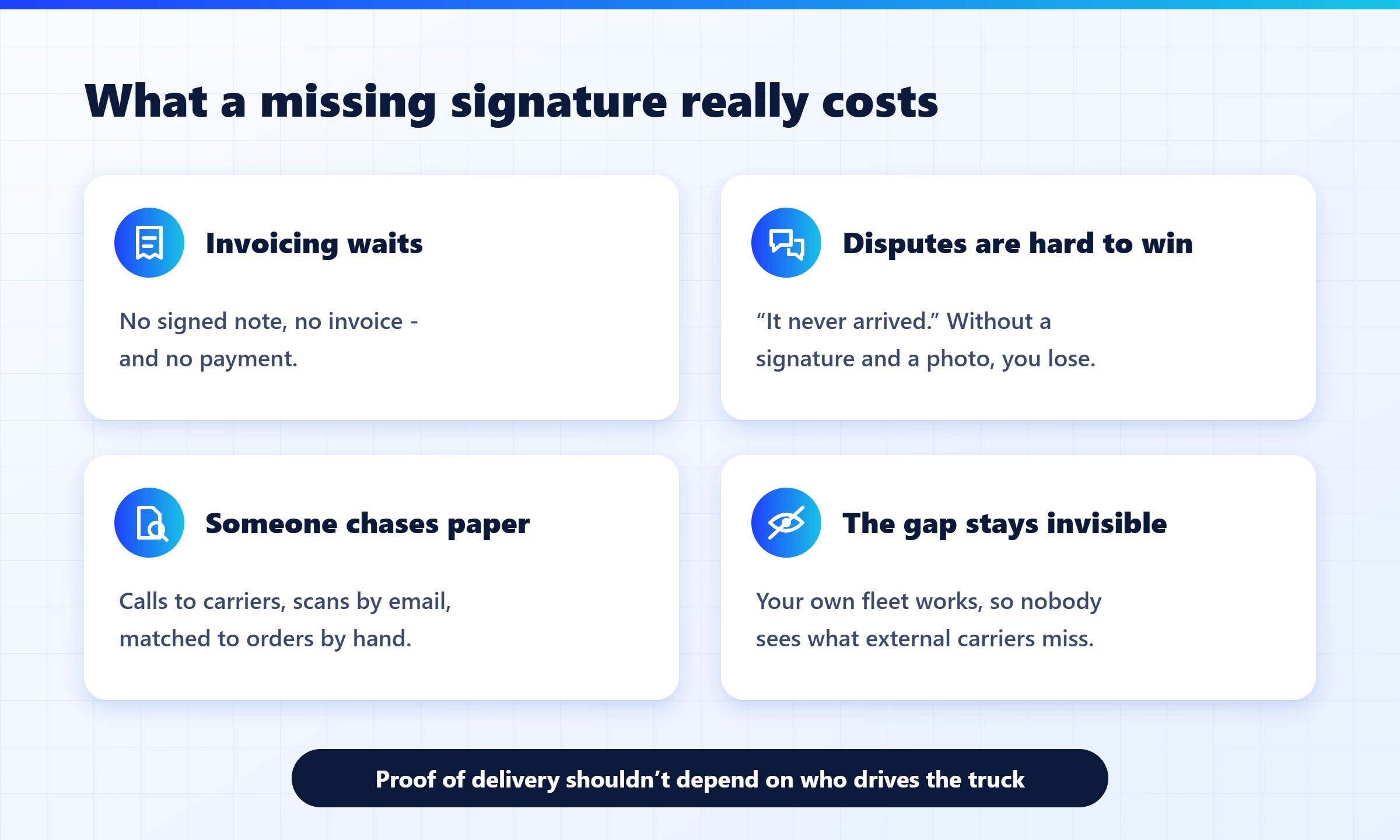
- Invoicing waits. Many companies won’t invoice, or customers won’t pay, until there is a signed proof of delivery. Every missing note delays cash.
- Disputes are hard to win. “It never arrived,” “only eight of ten cases arrived,” “the pallet was damaged.” Without a signature, a time and a photo, it’s your word against theirs – and the credit note usually wins.
- Someone chases paper. Customer service calls carriers, carriers call drivers, and scanned copies arrive by email to be matched with orders by hand.
- Your own fleet looks better than it is. Because proof of delivery works for your trucks, the gap with external carriers stays invisible until finance starts asking why some customers pay late.
Five ways companies try to fix it
There is no single right answer. Most companies use one or more of these approaches:
- Wait for the carrier’s paperwork. Simple, and fine for low volumes. Slow, and the copies that matter most are the ones that get lost.
- Use each carrier’s portal. Works if a single large carrier delivers for you. Once you use more than one, your signed delivery notes are scattered across their systems – a different portal, login and format for each carrier – and none of them is in your ERP. Small couriers rarely have a portal at all.
- Ask external drivers to use your app. Works with stable subcontractors. Every new driver needs onboarding, a login and a phone that runs the app.
- Send the recipient a signing link. No app for the recipient – but someone has to send the link at the right moment, to the right phone number.
- Print a QR code on the delivery note. The recipient scans it and signs on their own phone. The driver needs nothing but the document.
We compared all five in more detail – what each one needs, where the record ends up and when each one makes sense – in Proof of delivery with third-party carriers: five options compared.
Move the proof onto the document
The common thread in the approaches that fail is that they depend on the driver. The approaches that hold up put the proof somewhere that travels with the goods no matter who delivers them: the delivery note itself, and the recipient’s own phone.
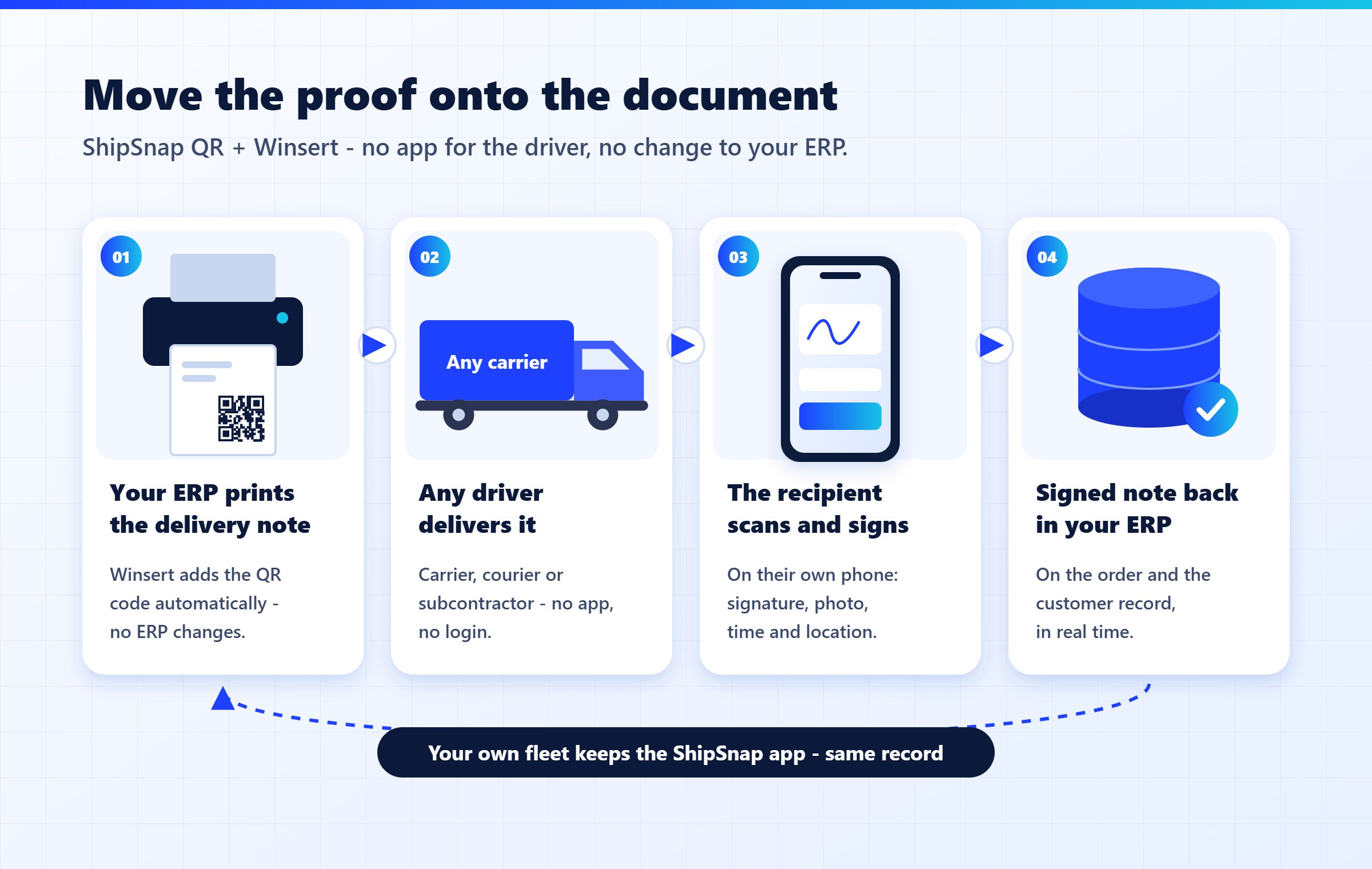
That is how ShipSnap QR works:
- The QR code is added when the document prints. Winsert adds it to your existing delivery note or label as it prints, so there is no change to your ERP or its document layouts.
- Any driver delivers it. Carrier, courier or subcontractor – no app, no login, no device to hand out.
- The recipient scans and signs. A signing page opens in the phone’s browser. The recipient signs and can add a photo of the goods; date, time and location are recorded with it.
- The signed document goes back to your ERP. It is synced to the order and customer record in SAP Business One or the ERP you run, so finance and customer service see it in real time.
Your own fleet can keep using the ShipSnap driver app. Both paths land in the same record – so for the first time, proof of delivery looks the same no matter who delivered.
Where to start
Start with your own delivery notes – the documents your ERP already prints. Winsert adds the QR code to them automatically as they print, with no long implementation and no change to your ERP at all. Choose one carrier or one route, run it for two weeks, and compare how many signed records come back – and how fast – with the paper process you have today.
Proof of delivery shouldn’t depend on who drives the truck. It should travel with the document.
ShipSnap QR connects to SAP Business One out of the box, and to Oracle, NetSuite, Priority, IBM AS/400 and other ERPs through Winsert.
See proof of delivery on your own delivery notes – book a ShipSnap QR demo →