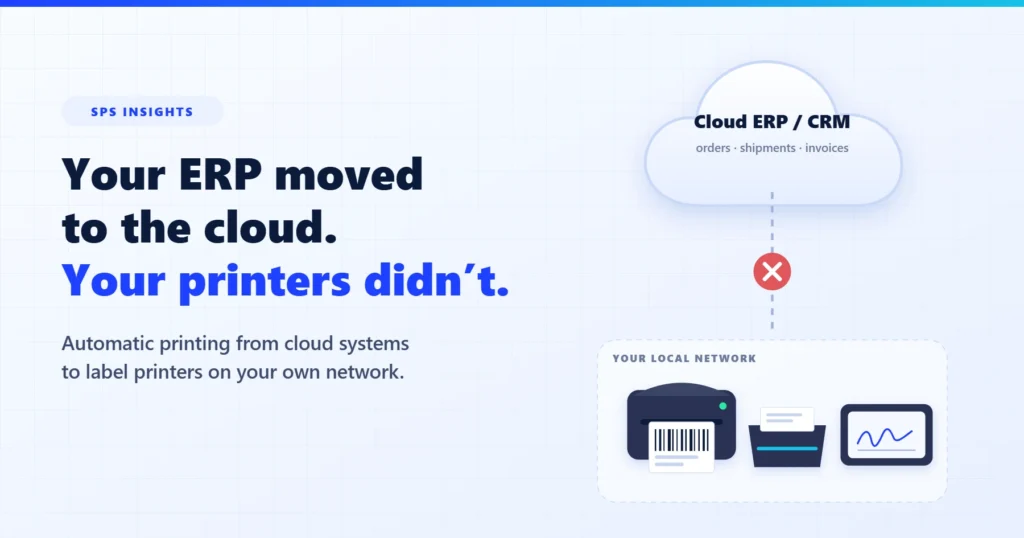
Your ERP moved to the cloud. Your label printers, scanners and signing pads stayed in the warehouse. Somewhere between the two, automatic printing stopped being automatic – and someone on your team is now clicking “Print” all day.
A distributor moves from an on-premise ERP to a cloud system. The project goes well: orders, inventory and invoicing all work in the browser. Then the first shipping day starts. In the old system, releasing an order printed the pick ticket at the warehouse, the shipping label on the thermal printer at the dock and the delivery note at dispatch – without anyone touching a button. In the new system, every one of those documents is a PDF that opens in a browser tab. Someone has to download it, open the print dialog, pick the right printer, fix the scaling, and do it again for the next order.
Multiply that by a few hundred orders a day and two or three sites, and “we moved to the cloud” quietly becomes “we hired someone to print.”
Why it breaks
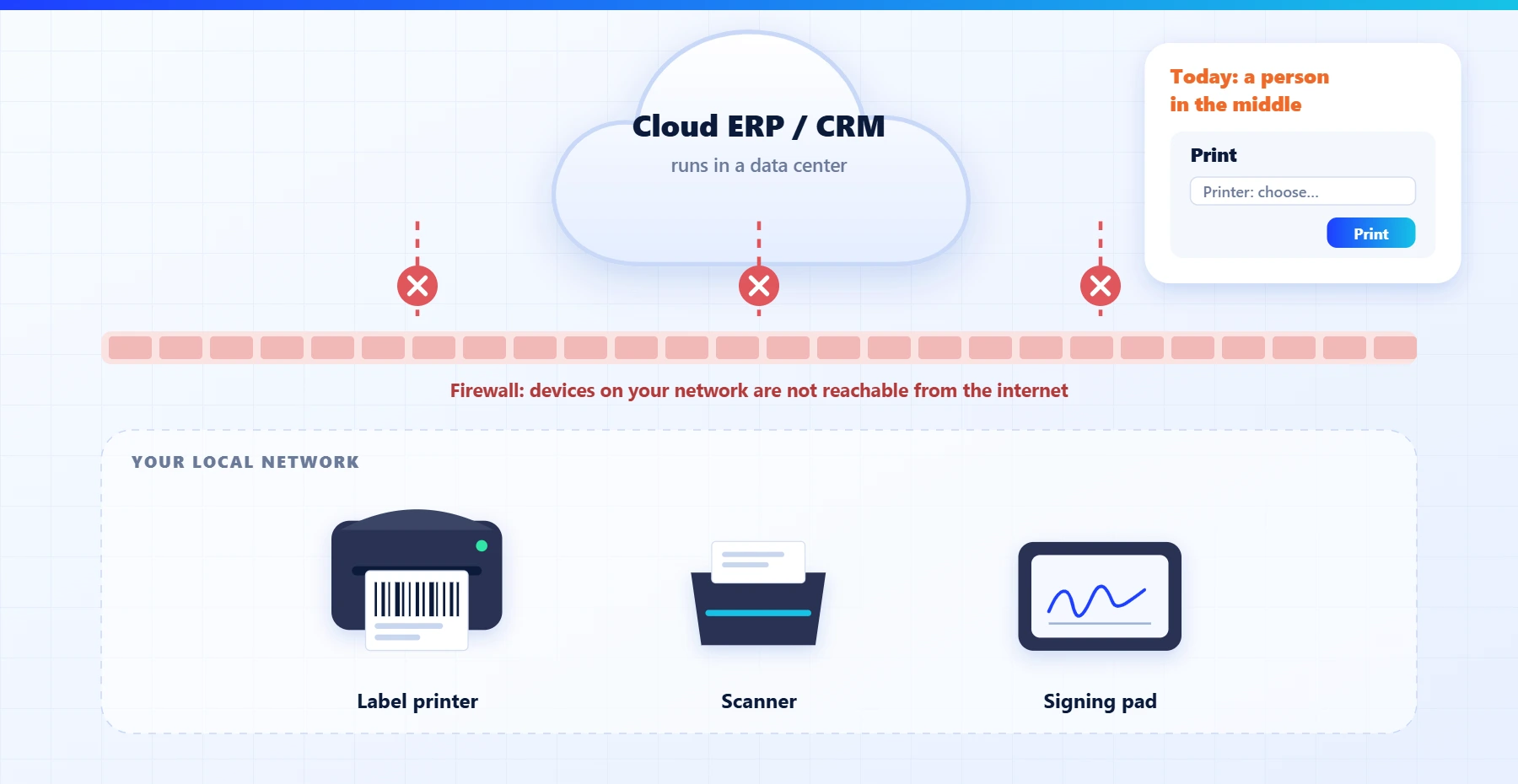
Printing from an on-premise system was simple because the server and the printers lived on the same network. A cloud ERP runs in a data center. It has no route to the thermal printer at the dock, and for good reason: nobody wants their warehouse devices reachable from the internet.
The browser does not fill the gap either. Browsers print what is on the screen, through a dialog, one document at a time. They cannot send raw label commands to a thermal printer, they cannot pick a printer by rule (“labels to the dock, invoices to accounting”), and they cannot print something when nobody has the page open – for example, when an order changes status at 6 a.m.
The same gap hits every local device, not only printers: a document scanner that should file straight into the ERP, or a signing pad at the counter where the customer signs the delivery note.
The usual workarounds – and what they cost
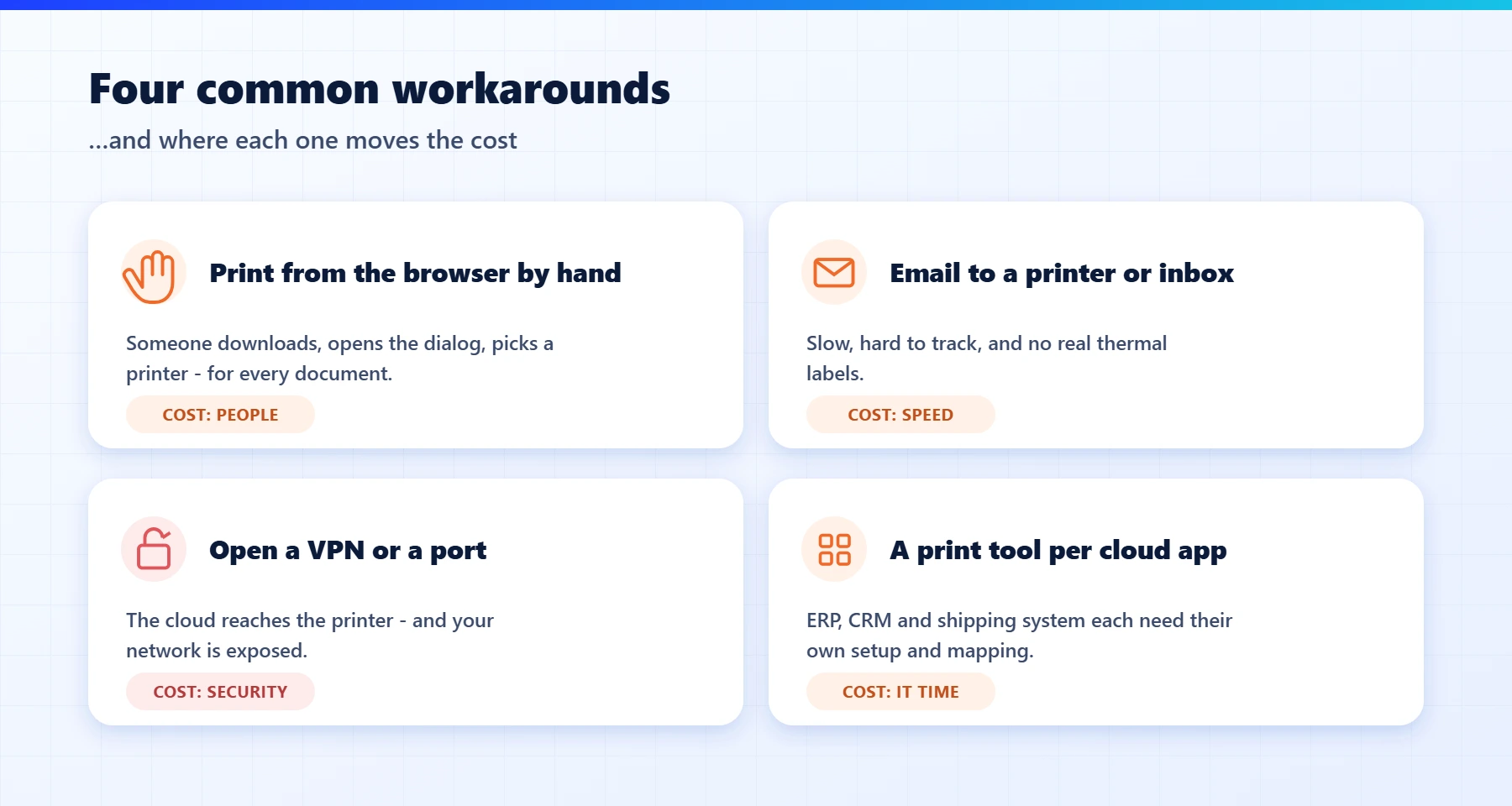
- Print from the browser by hand. It works, it costs a person, and it breaks the moment volume goes up or the right person is out.
- Email the document to a printer or a shared inbox. Slow, hard to track, and useless for thermal labels.
- Open a VPN or a port to the local network. It connects the cloud to the printer – and also opens your network. Most IT teams will (rightly) say no.
- A separate print tool for every cloud app. The ERP has one, the shipping system has another, the CRM a third. Each one needs its own setup, support and printer mapping.
A quick self-check
- Does anyone in your warehouse or office print documents from a browser tab as part of their daily routine?
- Do shipping labels still go through a PDF before they reach the thermal printer?
- Did printing get slower or more manual after you moved to a cloud ERP or CRM?
- Do you have more than one site, or printers that need different documents?
- Has IT been asked to “just open a port” so a cloud system can reach a printer?
Two or more “yes” answers usually mean printing is costing you real hours every week.
What cloud-to-local printing should look like
Whatever tool you choose, a good setup has the same building blocks:
- Event-driven: the document prints when something happens in the system – an order is released, a shipment is created – not when someone opens a page.
- Outbound-only and encrypted: a small agent on the local network connects out to the cloud service over SSL. Nothing on the internet connects in, so no ports are opened and no VPN is needed.
- Rules, not dialogs: each document type goes to the right printer, tray or label stock automatically, per site and per station.
- Real labels: labels are produced in the printer’s own language with live data from the system, not as scaled-down PDFs.
- One channel for every system: the ERP, the CRM and the shipping system all use the same channel to reach the same devices.
- A record of what printed: a copy of each document and a log of when and where it printed.
How SPS does it
xPress3, our label and document printing platform, normally connects directly to your ERP, databases and files and prints on your own network. For systems that run in the cloud we added an optional relay, DocRelay. Each cloud system – for example NetSuite, Priority, Salesforce or Zoho – sends the print job to a dedicated endpoint in the SPS cloud. A lightweight listener on a local station or server keeps an outbound, SSL-encrypted connection open to that cloud. When a job arrives, the listener either hands the data and PDF to Winsert, which formats and routes the document, or runs xPress to print the label with live data. The same path reaches label printers, scanners and signing pads, at one site or many.
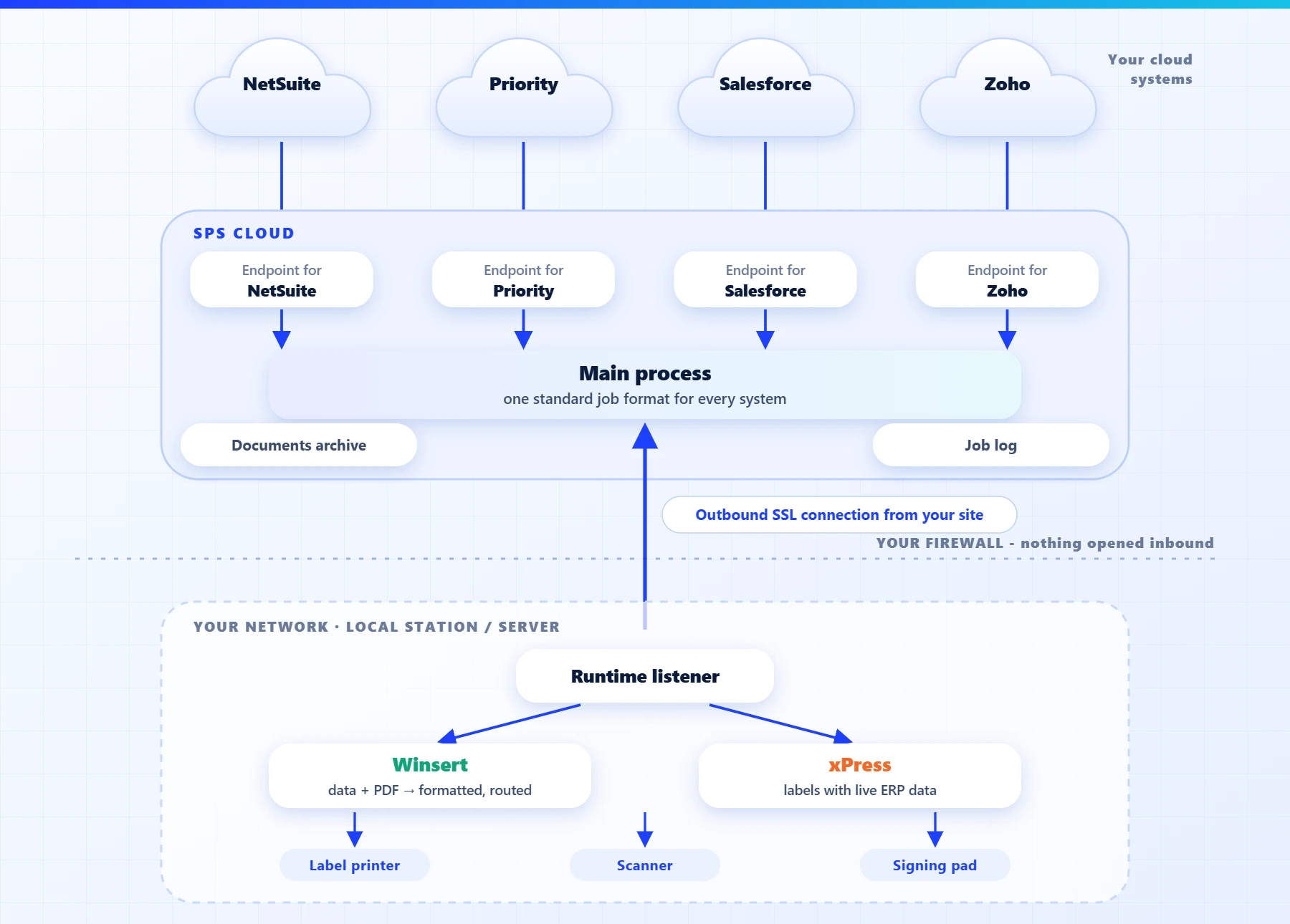
Nothing changes in the cloud system’s screens, and nothing on the local network is exposed to the internet. The warehouse gets its automatic printing back, and IT keeps its firewall closed.
Where to start
Pick the one document that costs you the most clicks today – usually the shipping label or the pick ticket – and one site. Map when it should print, on which printer, and with which data. Once that runs on its own, adding the next document or the next site is a configuration change, not a new project.
If your ERP or CRM moved to the cloud and your printers did not, book a short demo and we will show you the document you print most often coming out of your own printer – without a click.